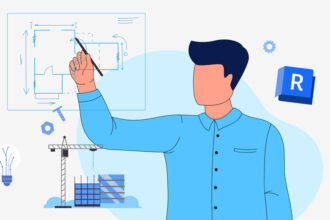

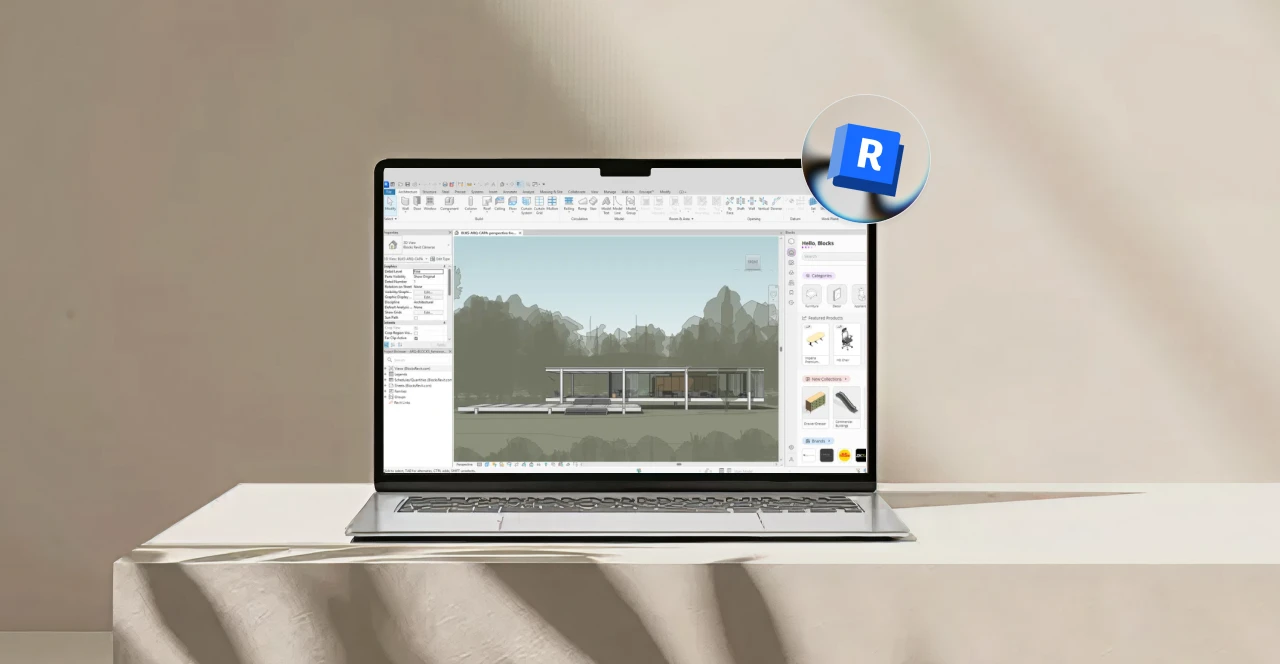
If you’re starting out in Architecture or Interior Design, or if you’ve already heard about BIM in college, chances are you’ve asked yourself a very common question: what is Revit?
The question “what is Revit” is just the beginning of your journey with the software. Once you understand the basics, it’s natural to dive deeper into the BIM universe.
Revit can be the tool that completely transforms the way you work as an architect. And we’re not talking about just any software, we’re talking about Autodesk’s most complete platform.
That’s why, in this article, we’ll explain everything you need to know about Revit so it can become a true ally in your design process.
Let ‘s get started.
What is Revit and what is it used for?
When someone asks what Revit is, the short answer is: an Autodesk software designed for BIM (Building Information Modeling), used to design, document, and coordinate building projects, including architecture, structure, and MEP, within an integrated environment.
Revit’s core idea is to be a 360-degree software, where all project stages come together, from early design through construction.
In practice, Revit is designed to create real, data-driven 3D models, where walls, doors, furniture, pipes, and systems are fully parametric.
That means what you design is not just a 3D representation, it’s an object that contains all the information required for construction, such as materials, dimensions, parameters, and technical data.
One of Revit’s biggest strengths is automatic project coordination and consistency: the model automatically feeds drawings, sections, elevations, schedules, and quantity takeoffs based on the inserted data.
As a result, you don’t need to redo documentation every time the project changes. Update the model, and everything else updates with it.

Bárbara Pavanello
CEO | Blocks®
“Revit came into my life back in college, at a time when learning BIM wasn’t part of the curriculum and was almost a personal choice. I took an independent course, brought the software into my internship, and developed my final thesis project in Revit because I could clearly see its real competitive advantage. Even though I had already worked with other tools at the time, such as AutoCAD, Archicad, Promob, among others, I was never comfortable with the lack of compatibility between projects, the disconnected information, and the constant rework this caused throughout the process. I chose Revit because it goes beyond drawing. It changes the way you think about design, bringing integration, consistency, and data-driven decision-making from the very early stages. Over time, it became clear to me that BIM is not just a market trend, it’s a definitive shift in how architecture is conceived, designed, and built. For me, this choice has always been about professional growth and a long-term vision.”
What is BIM?
You might be wondering what BIM actually is and we won’t let you keep reading with that question unanswered.
BIM is not just “3D modeling.” It’s a way of managing information throughout the entire lifecycle of a project.
Beyond visual representation, construction data is often more important than visualization itself.
According to the National BIM Standard–US, BIM is defined as a digital representation of a building’s physical and functional characteristics, serving as a reliable basis for decision-making throughout its lifecycle. In the United States, this approach has been reinforced through federal guidelines and industry standards, including BIM requirements adopted by public agencies such as the General Services Administration (GSA), positioning BIM as a key driver of data-driven design, coordination, and long-term building performance.
This is just the tip of the iceberg when it comes to BIM. If you want to go deeper, check out our article: What is BIM: explore all the aspects of this methodology.
What can you do with Revit?
If one question is “what is Revit,” the next is usually: “What can I actually do with it in my daily work?”
That’s one of the most common questions among professionals who hear that Revit is one of the most complete software tools in architecture and construction.
Revit isn’t about drawing lines or decorating spaces, it goes far beyond that. Here’s what it can do for you:
1. Intelligent 3D modeling
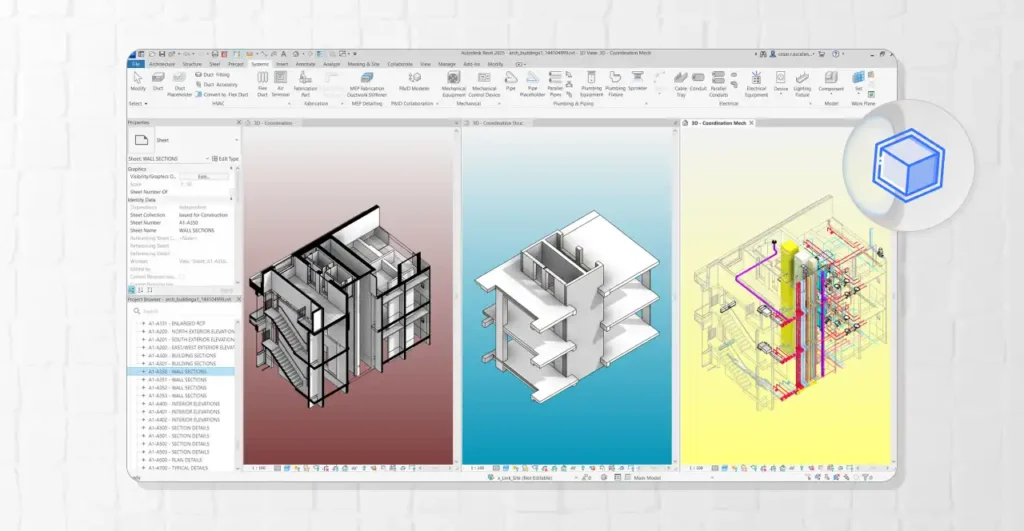
Unlike traditional modeling software, Revit requires an understanding of BIM methodology to unlock its full potential.
With Revit, you model real building elements with accurate information, walls, floors, doors, and systems behave like their real-world counterparts.
2. Automatic documentation
Every architect and engineer knows that documentation is one of the most complex parts of an architectural project. Depending on the software used, this step is not always automated.
With Revit, it works differently. The software automatically converts the model into documentation. Floor plans, sections, and elevations are generated directly from what you have modeled.
As a result, when something changes in the model, all views and sheets update automatically, reducing documentation effort by up to 80%.
3. Detailing and annotations
Beyond modeling, Revit allows you to fully detail your projects by adding dimensions, tags, text, symbols, and detail callouts.
You can also control graphic standards on a per-view basis, including detail levels, line styles, and visibility, which is essential for producing high-quality construction documents.
4. Schedules and quantities
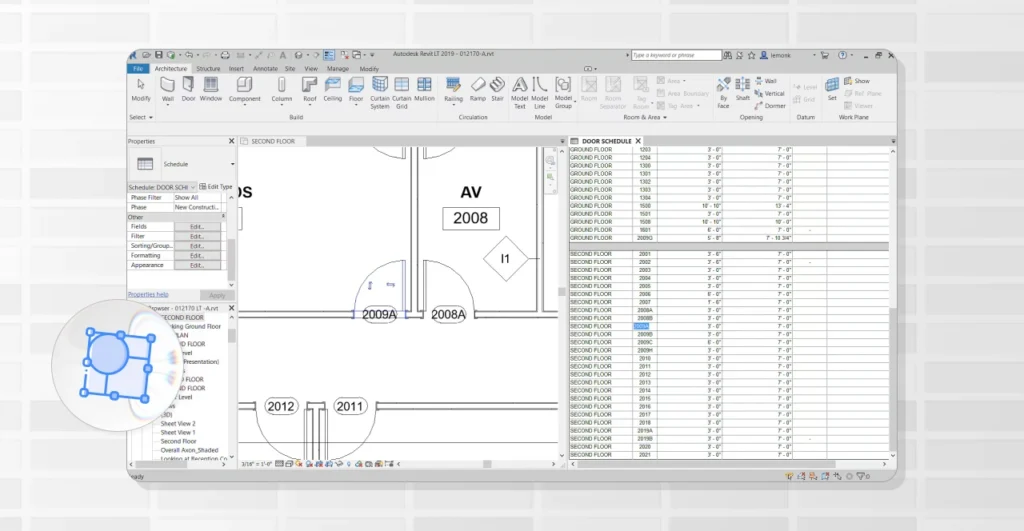
Revit generates schedules directly from the model, such as door and window schedules, room area lists, material quantities, and furniture takeoffs.
Why does this matter? Because it speeds up budgeting, coordination, and revisions, all data is pulled directly from the modeled elements.
5. Multi-discipline coordination
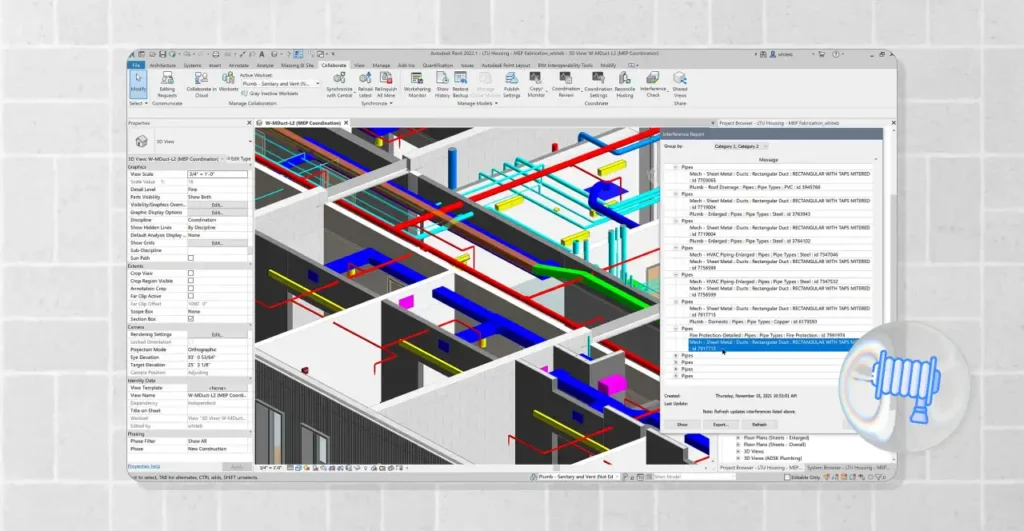
On larger projects, Revit is widely used to coordinate architecture with structure and MEP systems.
You can work with linked models, check consistency, and significantly reduce misalignments common in 2D workflows, especially when multiple disciplines update their models simultaneously.
6. Clash detection
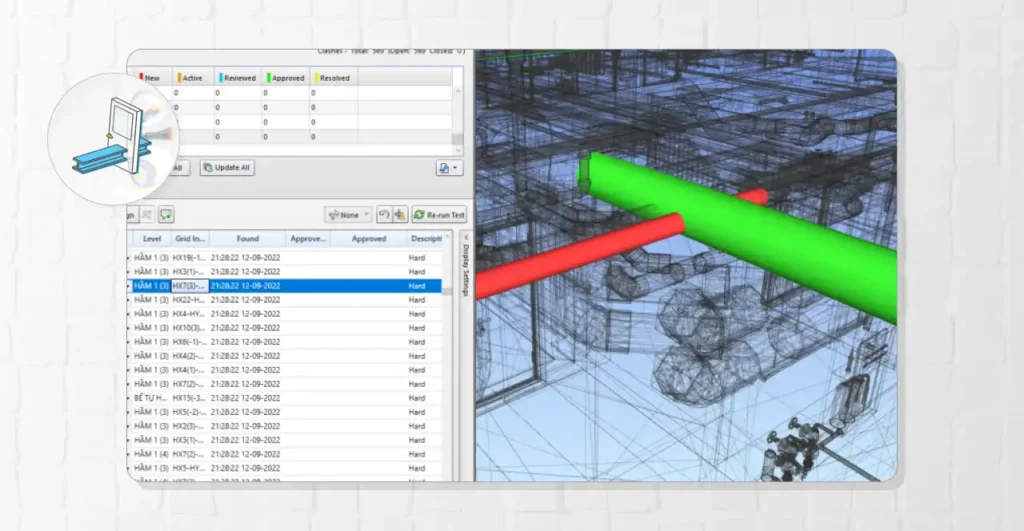
One of Revit’s most powerful features is clash detection (interference checking).
The software allows you to identify conflicts such as pipes intersecting beams, ducts colliding with ceilings, or equipment without proper maintenance clearance.
This way, issues can be resolved early, before they become costly problems on-site.
7. Families, types, and parameters
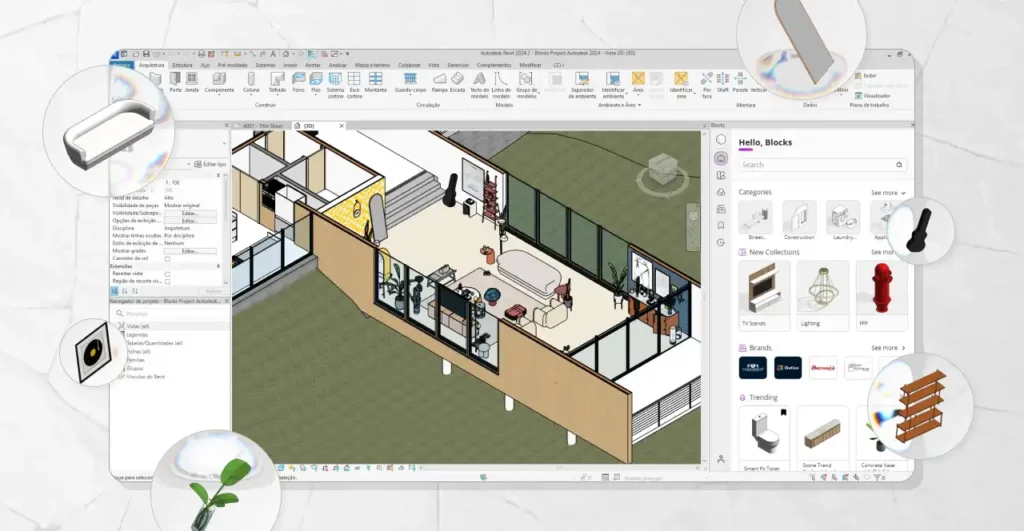
Who said Revit isn’t for interior design? Revit uses families (BIM objects) such as doors, windows, furniture, lighting fixtures, plumbing fixtures, and equipment.
Families can be created from scratch or downloaded via plugins. Plugins typically provide ready-to-use BIM libraries, while modeling families from scratch requires more advanced skills.
Not every professional has the time or expertise to model everything manually, which makes high-quality libraries essential.
With the Blocks plugin, for example, you gain access to over 8,000 fully parametric families, ready to use in your projects.
To learn more, read: Revit Families: what they are, how to use them, and where to find them.
8. Visualization and presentation
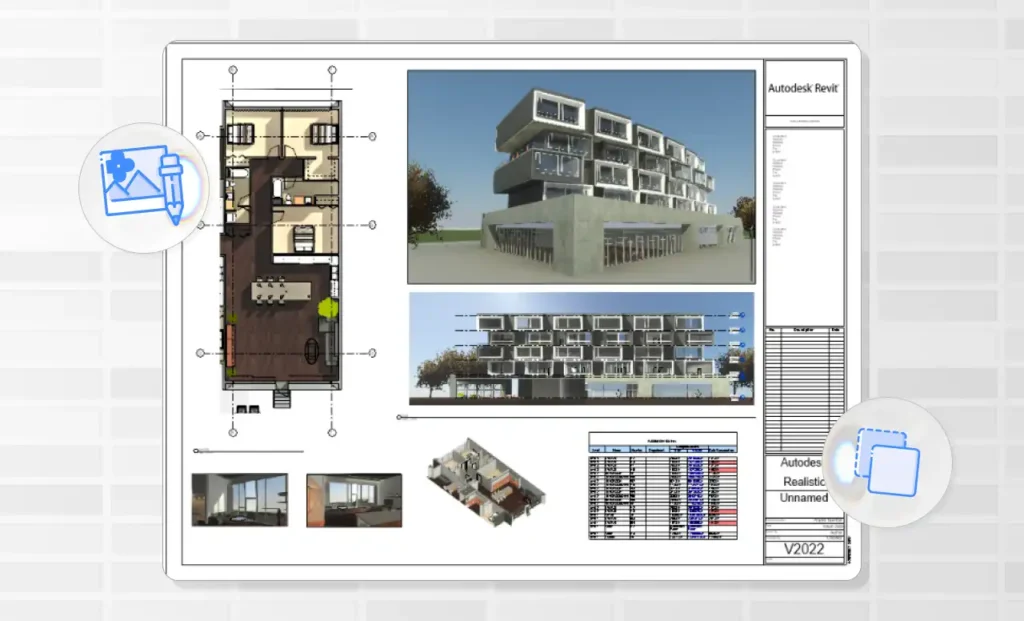
Revit simplifies the creation of 3D views, sections, and presentations to help communicate design ideas and showcase your projects.
Depending on your workflow, you can use Revit’s built-in renderer or integrate it with more advanced visualization tools.
9. Interoperability
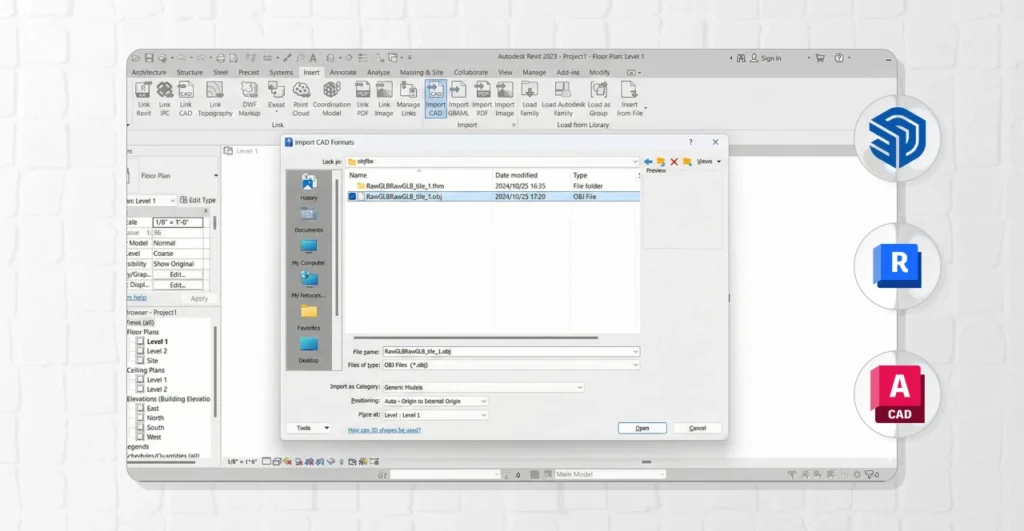
Last but not least, there is interoperability. No one works in isolation, and in the AEC industry, different disciplines inevitably intersect.
To support project development, Revit offers strong interoperability capabilities, allowing it to communicate with other file formats and software tools.
In other words, if you need to work with files from other 3D modeling programs, Revit supports them. The main supported formats include DWG/DXF, DGN, IFC, SAT, and SKP.
This means that, for example, if an interior designer works in SketchUp, an architect in AutoCAD, and an engineer in Revit, all three can collaborate on the same project seamlessly.
Blocks FAQ: frequently asked questions about Revit
Now that you understand the power of Revit, there are a few questions that are common among new users of the software.
So, to help you even further on your journey with Revit, below we answer the main questions users usually have. Let ‘s get started.
How much does Revit cost?
Let’s get straight to the point, because this is a question that almost always comes up after understanding what Revit is. See the prices in the table below:
| Product | Monthly Subscription | Annual Subscription | Notes |
|---|---|---|---|
| Revit | US$ 380 / month | US$ 3,005 / year | Full Revit subscription with complete BIM capabilities |
| AEC Collection | US$ 335 / month | US$ 2,825 / year | Includes Revit plus other Autodesk AEC software |
| Revit LT | US$ 85 / month | US$ 680 / year | Simplified version (3D BIM + documentation) |
| AutoCAD Revit LT Suite | US$ 100 / month | US$ 800 / year | Revit LT + AutoCAD LT in the same package |
It’s important to note that prices may vary depending on the region and the year. For this reason, always check the most up-to-date information on Autodesk’s official website.
Good news for students: the subscription is free. You just need to request a student license through Autodesk’s website and you can use the software for up to three years.
Want to know how to do it? On the Blocks blog, we also have a comprehensive guide explaining the entire process, including a step-by-step video tutorial.
Read: Revit for Students: step-by-step guide to access it free.
Who can use Revit?
If you understand what Revit is, you’ll quickly realize that it’s not limited to a single profession. It’s a software platform that can be extremely powerful across multiple professional fields.
In other words, Revit can be used by:
- Architects and architecture students: building modeling, design studies, documentation, and coordination with other disciplines.
- Interior designers and students: layouts, interior detailing, furniture, ceilings, lighting design, quantity takeoffs, and construction documentation.
- Structural engineers: structural modeling and coordination, information extraction, and integration with analysis workflows.
- MEP engineers and designers: creation and coordination of building systems, clash detection, and technical documentation.
- Construction companies and on-site professionals: model review and validation, conflict detection, decision support, and planning when the process is mature.
Revit is a comprehensive tool and is suitable for most professionals working in architecture, interior design, and construction.
However, it does require an open mindset to learn both the software and the BIM methodology, as this workflow is more complex than traditional design tools.
How to download Revit
The safest and simplest way is through Autodesk’s official website:
- Visit Autodesk’s website
- Click “Download a free trial”
- Select your intended use
- Create an account or log in
- Download the software
New users get a 30-day free trial. After that, a subscription is required.
If your company already has a license, you can download Revit through Autodesk Account.
Blocks Plugin: download over 7,000 BIM families for your projects
If you want to start using Revit the right way, here’s a shortcut worth taking: the Blocks plugin.
With more than 8,000 parametric families, you can insert high-quality objects into your project in just a few clicks.
Let’s be honest, searching for families online takes time, involves risk, and often leads to rework.
With Blocks, you add reliable BIM families quickly and keep your workflow efficient and secure.
Conclusion
Understanding what Revit is represents a real mindset shift, from drawing as a graphic representation to modeling as a source of information.
This changes how you document, review, coordinate, and communicate across disciplines.
It also explains why BIM continues to gain ground in public policies, industry strategies, and procurement requirements.
If you want to get ahead in the architecture and construction market, learning Revit and BIM is a strategic move.
To keep learning about Revit and BIM, follow the Blocks blog and don’t forget to share this article with your colleagues and on social media.