
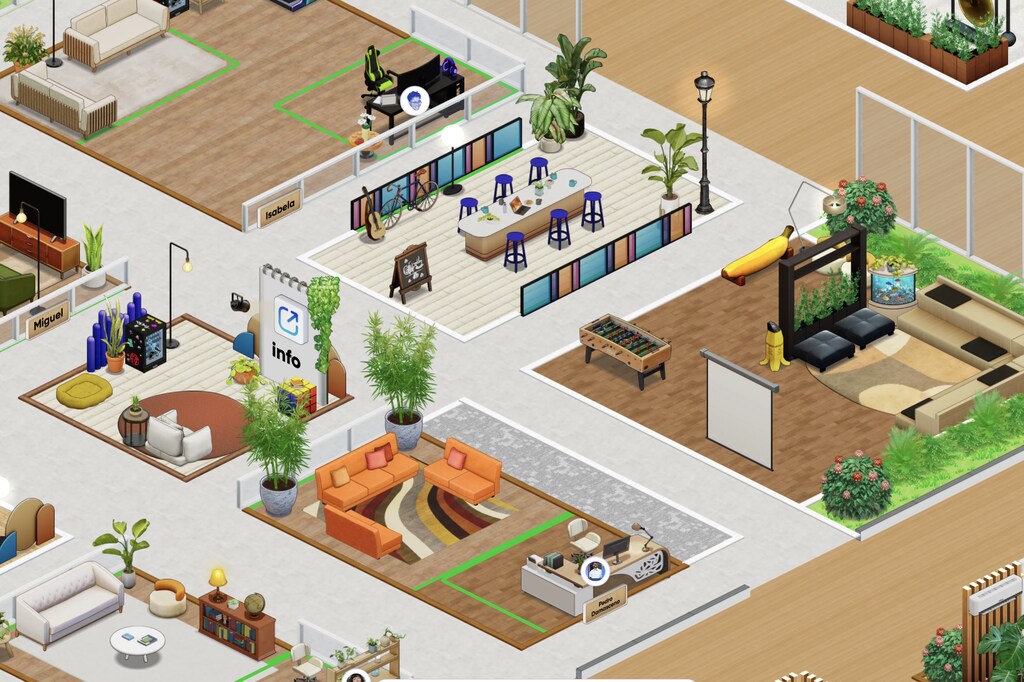
SoWork is a virtual office for remote teams where each person has an avatar, moves through a map that represents the office, and talks to teammates in real time.
It brings meetings, chat, presence, and team culture into one place, with AI features that record and summarize conversations.
At Blocks®, we use SoWork every day, and we love it. That is why we wanted to create this article and explain what the platform is, how it works, what features and plans it offers, and what our real experience using it has been like.
Let’s take a closer look at how the platform works.
What is SoWork?
SoWork is a platform created by Sophya, Inc., a company based in Boston, in the United States.
The platform’s main goal is to serve as a virtual office for remote companies, offering several features for everyday remote work.
The idea is easy to understand. Instead of keeping the team stuck in scheduled calls and endless message threads , SoWork offers a digital space that feels like a real office, where people can see one another, move closer, and work side by side.
According to the founders, in 2020, during the pandemic, they became yet another team stuck in video calls and chat, and they felt their company culture start to fade.
The inspiration for the solution came from an unexpected place: online games. Part of the team had met years earlier through a game, where they coordinated complex tasks without ever being in the same physical location.
The conclusion was that what they were missing was a place to be together. So, they decided to build one.
How SoWork works in practice
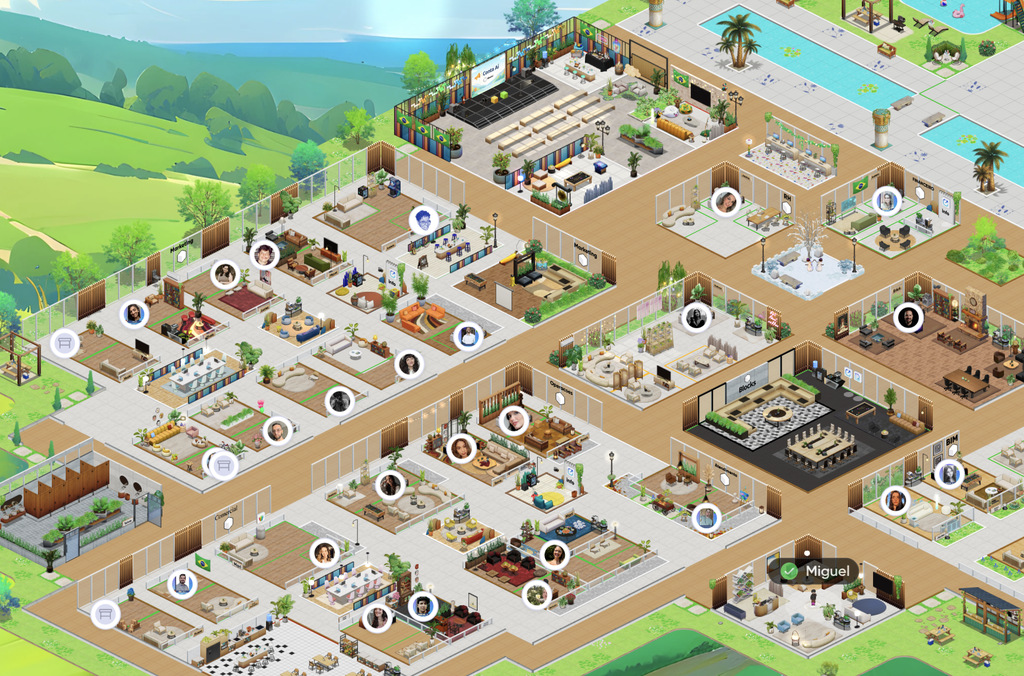
When you enter SoWork, you see an office map with rooms, desks, and shared areas.
Your avatar moves through that space and, when you get close to a teammate, voice and video start automatically.
It is the same gesture as walking up to someone’s desk in a physical office, but in a digital environment.
This presence-based logic changes how the team communicates. You can immediately see who is available, who is in focus mode, and who is in a meeting, then choose the best way to talk to each person.
Spontaneous conversations start happening again, without needing to schedule a meeting for every topic.
SoWork features
The platform goes far beyond the map. Below, we have gathered the main features SoWork offers.
Virtual office and presence
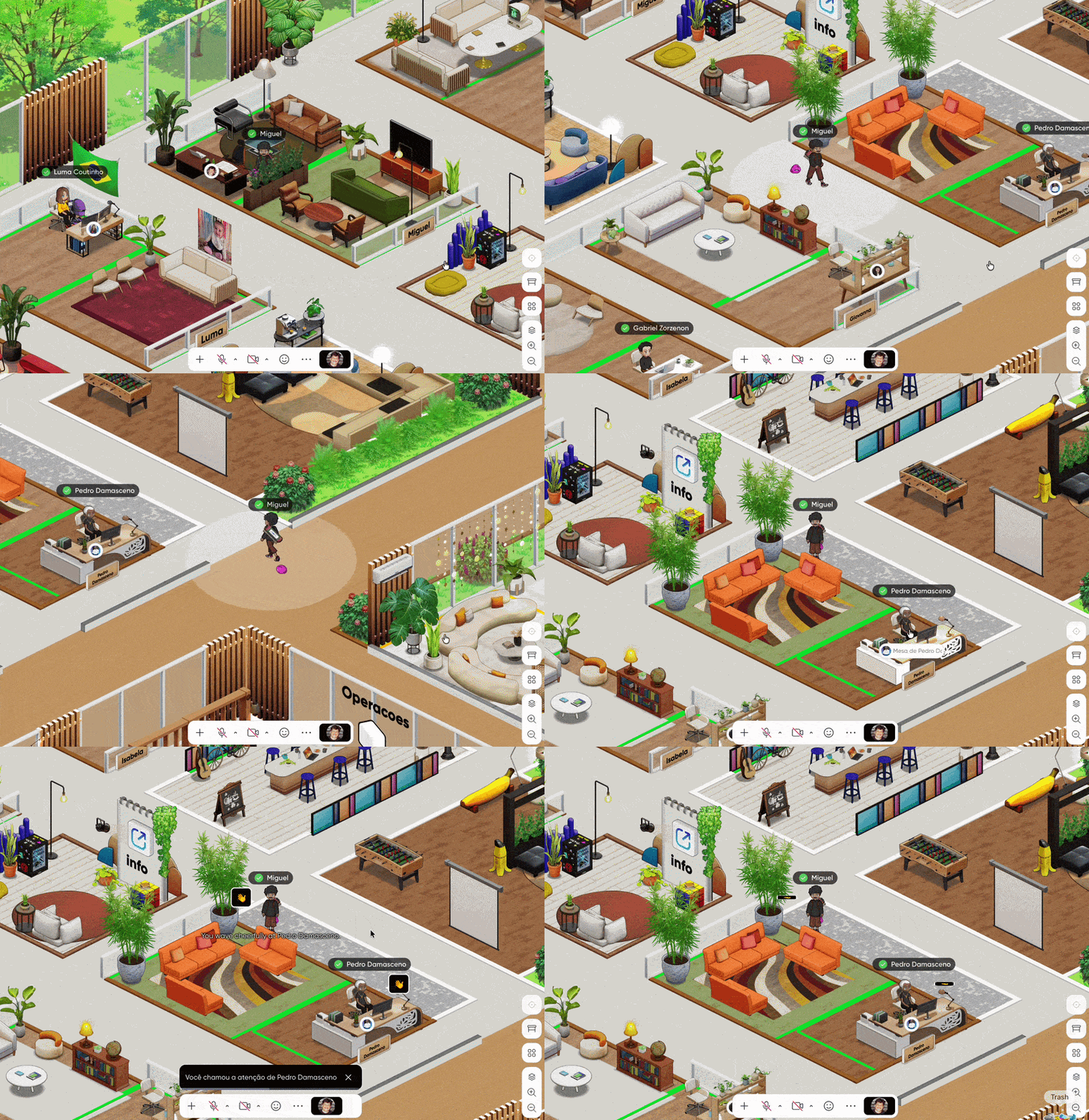
The virtual office is the heart of SoWork. You create your avatar, set your availability status, and move around the map.
SoWork has a feature called Wave, which lets you send a wave to a teammate to check whether they are available for a quick conversation. The Gong lets you celebrate a win with the entire team at once.
Meetings and video calls
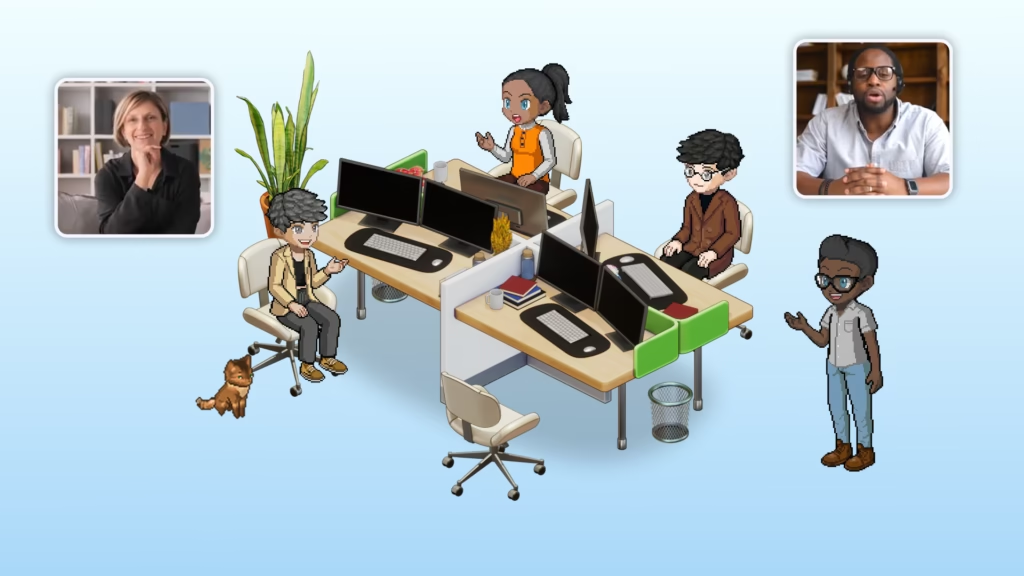
Meetings happen without links and without scheduling. You just walk up to someone or call them over to get started.
For more formal conversations, there is a meeting mode focused on the participants, similar to a traditional call.
Screen sharing lets you show multiple screens at the same time and draw on them. There is also a broadcast feature that lets you send a video, audio, or text announcement to the entire company.
AI for meetings
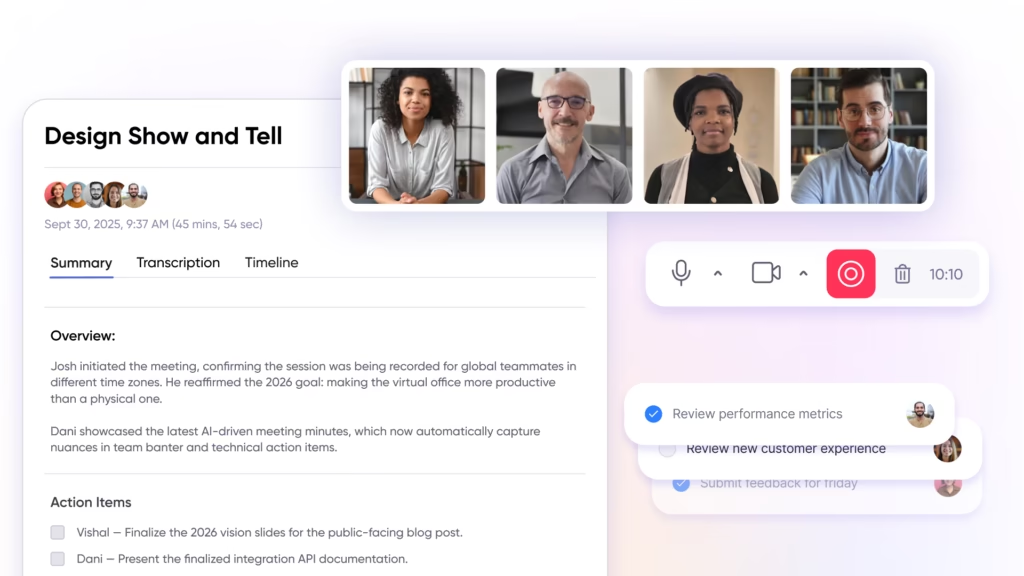
This is one of the strongest parts of the platform. SoWork automatically records, transcribes, and summarizes each meeting, and it also generates a list of next steps.
The summaries include clickable timestamps that take you to the exact moment in the recording. They can also be downloaded as PDFs and translated into other languages.
Anyone who missed the meeting can read the summary later and stay aligned on everything important.
Team chat
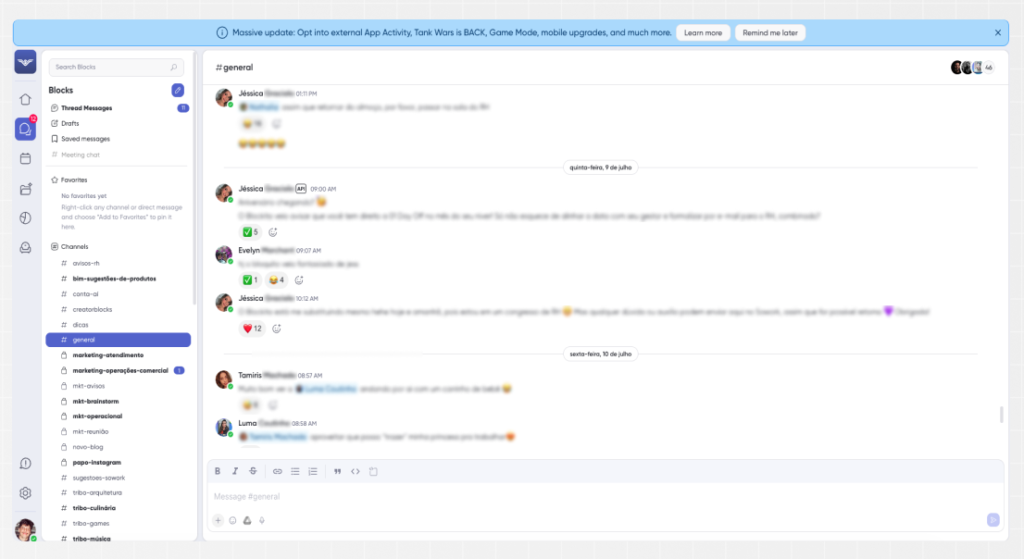
SoWork has a full chat experience, similar to the messaging apps teams already know.
There are topic-based channels, private conversations, threaded replies, reactions, voice messages, pinned messages, and complete message history.
This keeps written communication in the same place where the team already works.
Customization and culture
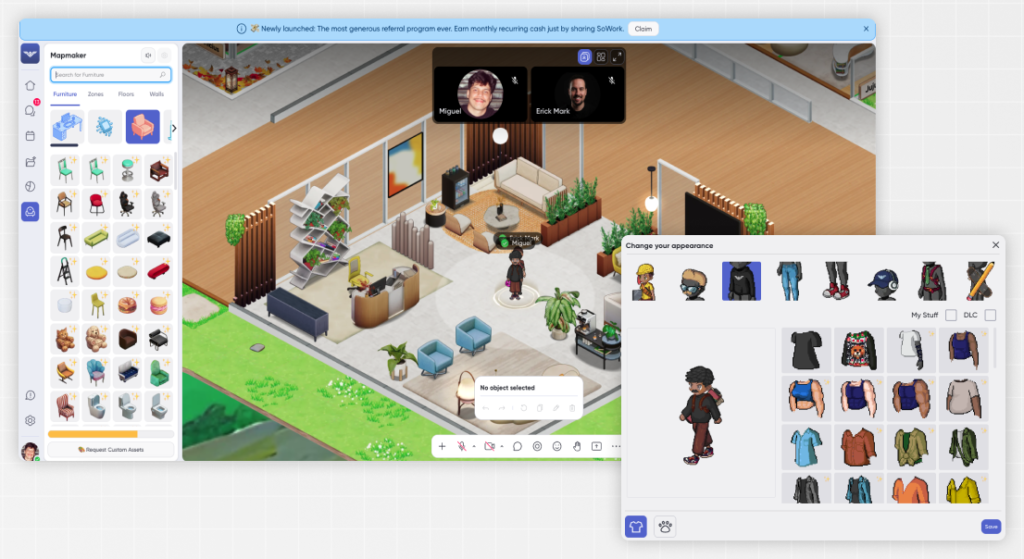
Customization is taken seriously. With an office editor inspired by simulation games, you can build the environment with more than 1,500 objects, create zones, assign desks, and even add pets and interactive items.
You can switch between light mode and dark mode, and the office grows with the company as the team expands.
Integrations and API
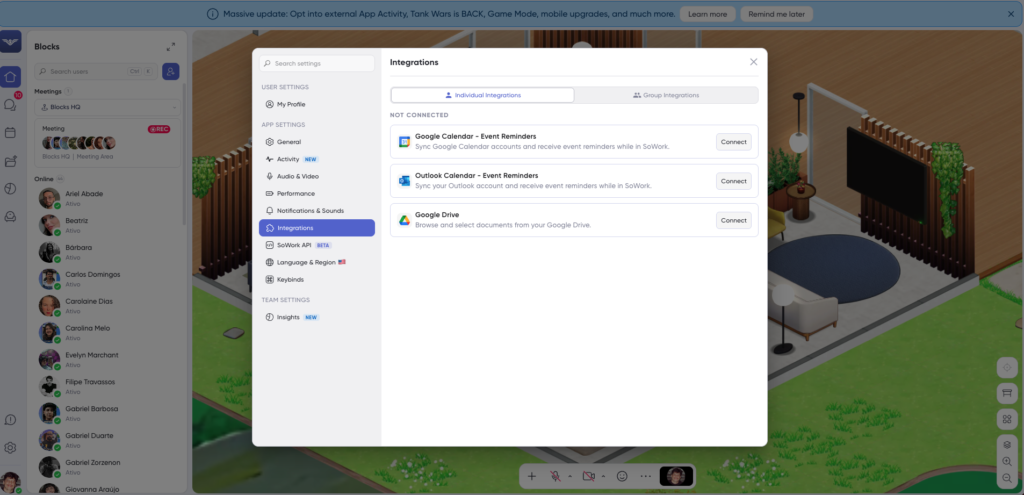
SoWork connects with the tools your team already uses. It integrates with Google Calendar and Outlook, Slack, GitHub, Zapier, and Miro, and it also offers an API for connecting data with other systems.
When a calendar event starts, your status automatically changes to “In a meeting.”
Analytics and mobility
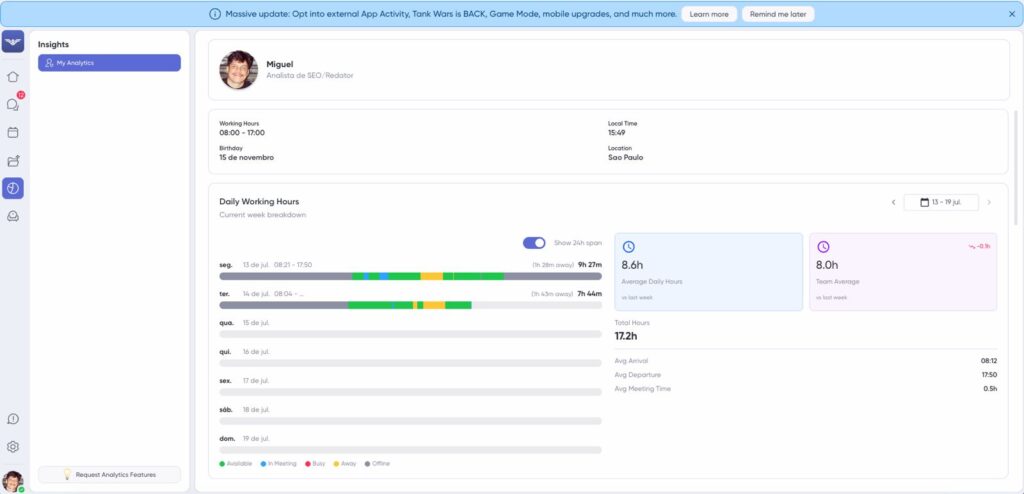
For managers, the platform offers activity and engagement dashboards, showing how the team collaborates without micromanaging. It also lets you export the data to a spreadsheet.
SoWork also has an app for iOS and Android and allows external guests to join meetings, which is useful for client conversations.
What are the benefits of SoWork?

Bárbara Pavanello
CEO | Blocks®
“What I like most is the feeling of being together: I can walk over to a teammate’s desk to talk, or call someone over and see them walking toward me. It feels like a truly in-person interaction, not just another virtual call. I recommend SoWork to any remote team, regardless of people’s age or the size of the company. It makes a real difference in the day-to-day.”
So, what are the benefits of SoWork? They show up in the daily routine of teams working apart, including:
- Everything in one place: presence, meetings, chat, AI recordings, analytics, and culture all live in the same environment, reducing costs and cutting down the constant app switching throughout the day.
- Fewer meetings, more time: because informal conversations start flowing again, many topics can be solved on the spot, and the number of formal meetings tends to decrease.
- Less isolation: seeing teammates on the map and being able to walk up to anyone brings back the sense of team that often gets lost in remote work.
- Simpler onboarding: new team members enter the office and see the team from day one, which shortens the adjustment period and helps keep the culture alive.
- Nothing gets lost from meetings: automatic recording, transcription, and summaries ensure that anyone who missed a meeting can catch up on what was decided, without relying on last-minute notes.
- Management without micromanagement: analytics dashboards show how the team collaborates and help coordinate time zones and routines without monitoring people.
- Analytics for administrators: a feature available to map administrators, usually company CEOs, that lets them view employee performance.
Together, these benefits explain why SoWork goes beyond a meeting tool. It supports the way a remote team connects and collaborates.
SoWork plans and pricing
SoWork uses a per-user model, with prices in U.S. dollars and a discount on the annual plan. It also offers a seven-day free trial.
The Free plan, supports up to ten people and is designed for trying the platform, with meetings of up to thirty minutes and no AI, recording, or analytics features.
The Basic plan, starting at around$5 per user per month, includes unlimited calls, full chat, and calendar integration.
The Premium plan, listed as the most popular option, costs around $12 per user per month and includes unlimited AI recordings and summaries, the analytics suite, and multi-screen sharing.
For larger companies, the Enterprise plan can be a great choice, with features such as single sign-on and implementation support. Since prices may change, it is worth checking the SoWork plans page for the most up-to-date numbers.
How to try SoWork for free
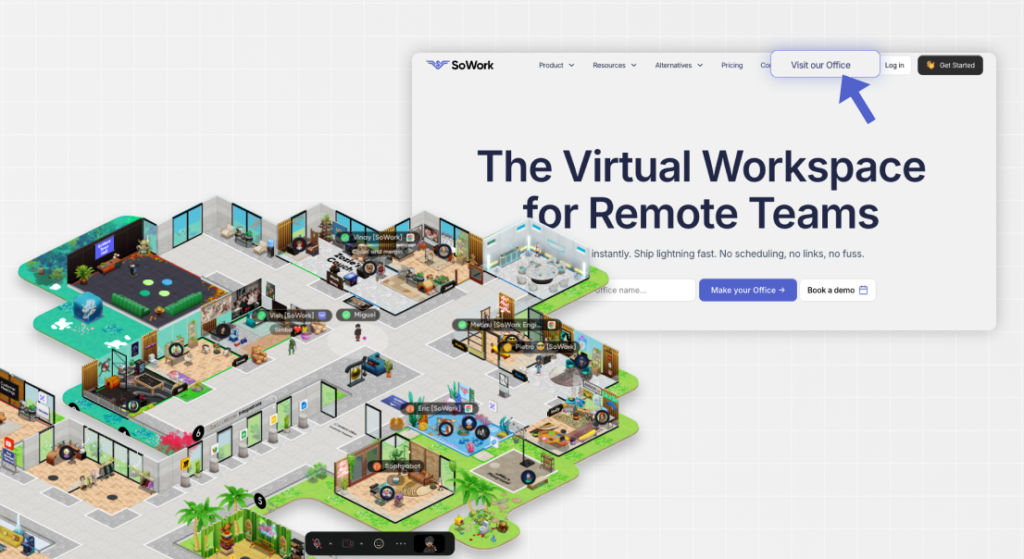
If you want to take a look at how SoWork works, you can enter the team’s own office.
Getting in is very simple. Just sign up on the website, log in, and visit the company’s virtual office.
It is worth remembering that good workplace etiquette still applies in this virtual space. Whenever possible, avoid interrupting employees who are in a meeting or in focus mode.
The map is open only to those who want to learn more about the platform before implementing it in their company.
Our experience with SoWork
At Blocks, we are a 100% remote team, and we adopted SoWork to bring back the sense of closeness we had lost at a distance.
The most visible change was in communication between departments. In the internal NPS surveys run by our HR team, complaints about communication almost disappeared.
Support also deserves to be highlighted . Whenever we need an adjustment or have a new request, such as a specific piece of furniture to furnish the office, the team responds quickly and solves it.
For Barbara Pavanello, CEO of Blocks, the biggest gain is the feeling of closeness.
Conclusion
Remote work has become the standard model for many teams, and the question is now how to maintain the energy of a full office even from a distance.
SoWork answers that question by bringing back the place that was missing, and our experience shows that this place makes a real difference in both team atmosphere and the way work gets delivered.
No tool can replace a team’s culture, but the right tool creates space for that culture to happen.
That is what we have experienced firsthand since we started working inside our virtual office.
Want to keep following content that connects technology and project workflows in the daily routine of those who build? Follow the Blocks blog and stay up to date with the next developments in digital construction.