
If you work with BIM, you’ve certainly found yourself overwhelmed by dozens of emails, outdated floor plans, and scattered tracking spreadsheets on your computer.
One of the biggest challenges in architectural, civil, and interior design projects is managing information efficiently, as it can easily get lost without proper organization.
To address this issue, Autodesk developed BIM 360 — a cloud-based project management platform packed with powerful features.
If you’re looking for greater control in your BIM workflows, this Autodesk software could be the perfect solution.
In this article, Blocks will walk you through everything you need to know about BIM 360 — from what it is to its various modules.
Shall we begin? Enjoy your reading!
What is BIM 360?
BIM 360 is a cloud-based platform for collaboration and project management created by Autodesk to integrate teams of architects and engineers.
Picture the daily life of these professionals: the architect emails a version of the project, the engineer works on it, meanwhile, the architect has already made changes, and in the end, it’s a mess.
BIM 360 was specifically designed to eliminate this kind of disarray, acting as a centralized digital hub where all professionals involved in the project can collaborate.
Instead of storing files across multiple computers and servers, all project data, including 3D models, 2D drawings, documents, reports, and schedules, is consolidated in a single, unified environment.
Essentially, BIM 360 creates what’s known as a Common Data Environment (CDE), where everyone involved, from the client to the designer, has access to the most current information at all times.
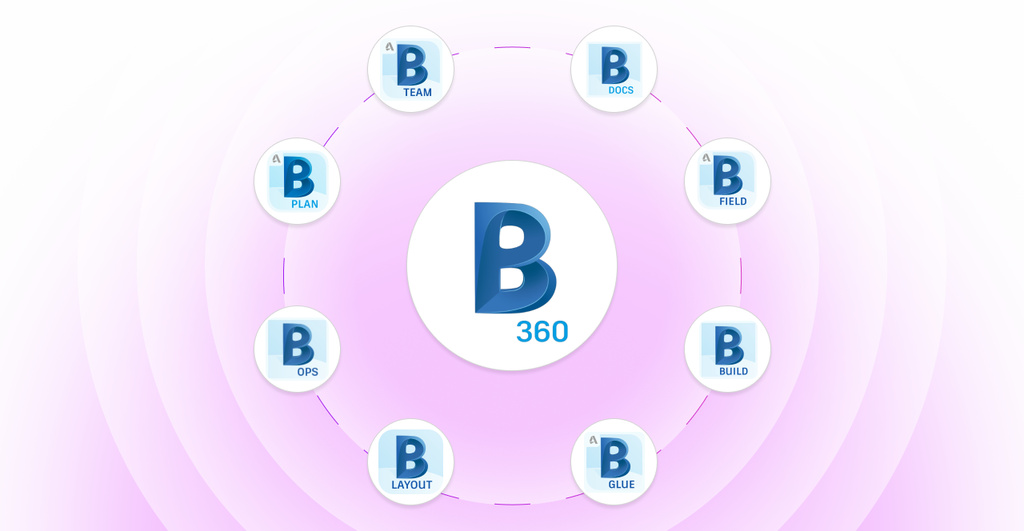
What are the types of BIM 360?
A verdadeira força do BIM 360 está em seus ecossistemas de módulos, cada um projetado para um desafio específico do ciclo de vida da construção.
A seguir, separamos uma lista com os tipos de BIM 360 e vamos explicar para que cada uma serve. Vamos conhecê-las?
BIM 360 Docs
BIM 360 Docs is the core of the entire ecosystem, acting like the heart that circulates information to all other modules.
It functions as the CDE, a centralized and secure cloud repository for all project documents, 2D drawings, and 3D models.
Its main role is to ensure that all professionals collaborate seamlessly, with automatic version control and the ability to view complex files directly in the browser.
In essence, it’s the foundation of collaboration, enabling users to add markups and manage issues directly within the documents.
BIM 360 Field

BIM 360 Field was a pioneer in the digitization of the construction site, a “legacy” tool that was directly connected to the engineer’s tablet.
Through it, the professional could view field processes, such as applying quality and safety checklists, documenting issues with photos, and creating daily reports.
Classic Field, or BIM 360 Field, played a key role in bridging the gap between the job site and the office and laid the groundwork for its more modern and comprehensive successor: Autodesk Build.
BIM 360 Build
BIM 360 Build marked a new era in field management, combining the features of BIM 360 Field with new tools for project and cost control.
The platform provided a more comprehensive view, seamlessly connecting the job site and the office while managing RFIs (Requests for Information) and Submittals (documents submitted for approval).
Much like BIM 360 Field, Build was eventually integrated into Autodesk Build.
BIM 360 Glue

Entering the preconstruction phase, we have BIM 360 Glue, a tool focused on model coordination.
In other words, it “glues” together different project models, such as architecture, structure, and MEP (Mechanical, Electrical, and Plumbing) into a single federated model in the cloud.
BIM 360 Glue allows for more automated clash detection, helping identify and resolve design conflicts virtually before they become costly problems on the construction site.
Note: These coordination features are now part of Autodesk BIM Collaborate.
BIM 360 Layout
BIM 360 Layout is a specialized and high-precision tool that connects the digital model to the physical job site.
It enables the field team to use robotic total stations or GPS to precisely lay out points from the model onsite.
Whether marking foundation points or verifying wall positions, it ensures that what was modeled in 3D is built with exact precision, improving both quality and productivity of execution.
BIM 360 Ops

After the construction is completed, BIM 360 Ops supports the operation and maintenance phase of the asset.
It takes the valuable data embedded in the BIM models (the so-called as-built) and delivers it in a simplified way to the building’s maintenance team.
With it, teams can create work orders, schedule preventive maintenance, and quickly access information about installed equipment, extending the value of BIM long after handover.
BIM 360 Plan
Before it was integrated into Autodesk Build, BIM 360 Plan was focused on short-term planning and production scheduling, based on Lean Construction principles like the Last Planner System®.
Its main function was to digitize the post-it–style planning process, enabling teams to commit to weekly tasks and measure planning reliability.
BIM 360 Plan helped bridge the gap between long-term planning and daily execution on the construction site.
BIM 360 Team
Finally, BIM 360 Team was designed for early-stage collaboration between project teams.
It allowed architects, engineers, and other designers to share, view, and review models and drawings in a centralized environment.
This version of BIM 360 was an agile tool for teamwork during the preconstruction phase.
Over time, its features were absorbed and improved, first by BIM 360 Docs and then by BIM 360 Design, which evolved into Autodesk BIM Collaborate Pro.
O que é Autodesk Build?

You may have noticed that some versions of BIM 360 have transitioned into Autodesk Build, essentially a tool that consolidates a wide range of functionalities in one place.
Imagine combining the top construction management features of BIM 360 Field, the project management tools of BIM 360 Build, and robust cost control, all within a single platform.
In essence, that’s what Autodesk Build is.
It is construction management and field software from Autodesk Construction Cloud, designed to connect the office and the construction site in a way its predecessors could not.
Its key differentiator is integration: instead of juggling multiple tools for different tasks, Autodesk Build centralizes everything.
In short, Build supports the entire construction lifecycle, from planning to field execution, with forms, daily reports, quality and safety management, and much more.
What is Autodesk BIM Collaborate Pro?

If Autodesk Build is the digital brain of the construction site, then Autodesk BIM Collaborate Pro is the virtual design table where everything begins.
This tool brings designers and engineers together long before the first shovel of dirt is moved.
Do you know how traditional construction projects usually work? The engineer creates one model. The structural engineer creates another. They exchange massive files via email. Each one works in their own bubble.
In the end of it all, chaos ensues: a structural beam passes right through an important air conditioning duct. A sewage pipe conflicts with a foundation, etc.
Sounds like a nightmare, right?
That’s exactly the kind of problem BIM Collaborate Pro is designed to solve. It works like a “Google Docs” for BIM models, enabling real-time collaboration for model creation, coordination, and clash detection.
Collaborate Pro is focused on the pre-construction phase, ensuring the digital model is accurate, coordinated, and clash-free before reaching the job site.
How to access BIM 360?
First, it’s important to note that access to the BIM 360 platform is individual and non-transferable, linked to your Autodesk Account digital identity.
You cannot simply buy and install BIM 360. Instead, you are added to a project.
A project administrator sends an invitation to your email. Once you accept it, you can create or use your existing Autodesk account to log in.
From there, you’ll gain access to that specific project’s data and tools, depending on the permissions granted to you.
The main access point is via browser, specifically through Autodesk portals, which centralize access to both legacy BIM 360 projects and newer ones within the Autodesk Construction Cloud.
What Happened to BIM 360?
With the arrival of Autodesk Construction Cloud and solutions like Autodesk Build, what happened to BIM 360?
Let’s be clear: BIM 360 has not been discontinued, but it has entered a “maintenance” mode.
This means that ongoing projects created within the BIM 360 environment continue to function normally with full support, but no longer receive major updates or new features.
So, if your company is using BIM 360 for a current project, you can continue working on it until its completion.
However, for new projects, the industry standard, and Autodesk’s own recommendation, is to start directly within the Autodesk Construction Cloud.

Jim Lynch
Senior Vice President, Autodesk Construction Solutions
“Bringing the entire project team into the Autodesk Build common data environment keeps everyone on the same page, minimizing errors… The rapid adoption of Autodesk Build shows that teams are investing in technology to maximize the delivery of high-quality projects within budget and on schedule.”
Did Someone Say BIM? Enhance Your Projects with Blocks!
In the world of BIM, we know that every detail and piece of information is key to creating a high-quality project.
That includes even the furniture used in a BIM model — it should carry all the relevant data to be integrated seamlessly with the rest of the project.
So, whether an architect or a designer, you should rely on a top-tier BIM family library, like Blocks®’s.
We offer over 5,000 fully parametric families ready to fit perfectly into your project needs.
What are you waiting for? Explore our BIM library and download our free plugin for Revit today!
Conclusion
BIM 360 was and still is a very useful tool for the daily lives of designers and engineers. No wonder that it’s still widely adopted.
However, to better support AEC (Architecture, Engineering, and Construction) professionals, many of its functionalities have been integrated into Autodesk Build and BIM Collaborate Pro.
That doesn’t mean you shouldn’t be familiar with how Build and Collaborate Pro’s predecessors worked, on the contrary, they laid the foundation for the tools we use today.
All the features previously available in BIM 360 Build, Layout, Glue, or Ops have now been enhanced and incorporated into the new solutions.
Be sure to stay up to date on BIM 360 updates, especially when evaluating the tools used in your projects.
And for more content like this, follow the Blocks blog!