
If you’re an architect or interior designer interested in BIM (Building Information Modeling), you’ve probably heard of the two leading software platforms in the industry: ArchiCAD and Revit.
Especially for students and early-career professionals, choosing between these two tools is a very common dilemma. After all, both are powerful BIM solutions.
Each software has its own strengths and characteristics, and the right choice depends largely on your professional profile, especially your level of experience with modeling and documentation tools.
In this article, we’ll help you make an informed decision about which software best fits your needs as an architect, interior designer, or student.
Ready to make your final decision? Then keep reading, this guide is for you.
What is ArchiCAD?
ArchiCAD is a BIM software developed by Graphisoft and is considered one of the pioneers of the “virtual building” concept.
The idea behind a virtual building is simple but powerful: instead of drawing isolated 2D lines, you create an integrated digital model composed of intelligent, information-rich elements.
With more than 35 years on the market, ArchiCAD maintains a strong global user base and is especially popular in Europe and Japan.
One of its main advantages is ease of use. The interface is clean and intuitive, which makes learning BIM much easier for beginners.
Another major differentiator is that ArchiCAD is multiplatform, running natively on both Windows and macOS, a key advantage, since Revit only runs natively on Windows.
Unlike Revit, ArchiCAD also includes a native library of parametric objects, such as furniture, doors, windows, and construction components.
Instead of spending hours modeling an object from scratch or searching the internet for downloads, you can start your architectural project right away using elements built into the software.
In addition, by adopting open standards such as the IFC format, ArchiCAD makes it easier to collaborate on architectural projects across different software platforms.
If you want to learn how to use Revit on macOS, we’ve put together a complete step-by-step tutorial.
Read: Revit for Mac: how to install it on your MacBook step by step

Bárbara Pavenello
CEO | Blocks®
When people ask me “Revit or Archicad?”, I say both work, but the right choice depends on your context. If you want a straightforward BIM tool to start designing and documenting, Archicad is usually very beginner-friendly and supports OpenBIM workflows. If you’re looking to grow into more integrated projects, with architecture, structure, and MEP in the same model, Revit tends to fit better, which is why I personally lean toward it. Do a simple test, build a small project with plans, sections, and a sheet, and see which one feels smoother. And whenever you need to exchange files, prioritize a reliable IFC workflow to reduce rework.
What is Revit?
Revit is also a BIM software, but it was developed with a strong focus on integrated AEC workflows: architecture, structure, and MEP.
For this reason, it offers more robust tools for documentation, parametrization, and multidisciplinary coordination.
That doesn’t mean Revit isn’t a powerful tool for architects and interior designers, quite the opposite.
Because it is strongly focused on integration, its features tend to be more advanced than those found in ArchiCAD.
Compared to ArchiCAD, Revit stands out for its fully integrated 360° ecosystem, powered by Autodesk. This ecosystem connects multiple stages of the project lifecycle, such as:
- cloud collaboration
- file management
- coordination
- bundled tool collections
Revit is also compatible with several other tools, including SketchUp, Tekla, Civil 3D, AutoCAD, Navisworks, and more.
Thanks to its discipline-based workflow, architects, interior designers, engineers, and project coordinators can collaborate within the same model.
What are the advantages of using ArchiCAD and Revit?
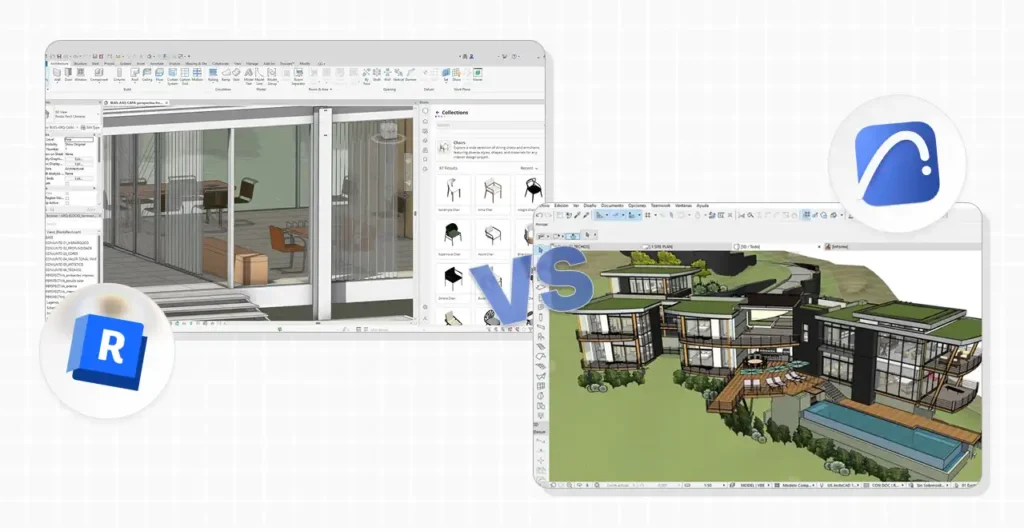
The BIM methodology has become the standard across the AEC industry. According to an NBS report, 73% of professionals already work with BIM.
Which means, choosing between ArchiCAD and Revit is not a trivial decision, it can shape your entire professional trajectory.
Revit
When the conversation is ArchiCAD vs. Revit, Autodesk’s software usually stands out in terms of integration and standardization.
If you choose Revit, some of its main advantages include:
- Change propagation: parametric components ensure that updates automatically propagate across views and documentation.
- Model-based documentation and quantities: schedules and quantities are a native part of the BIM workflow and are generated directly from the model.
- Team collaboration: central models and collaborative workflows are extremely practical for day-to-day teamwork.
- Interoperability: Revit supports multiple formats (including IFC, SKP, OBJ, STEP, and others), making coordination and file exchanges much easier.
- Extensibility and automation: a strong differentiator is the ability to extend the software through Dynamo, API access, and Autodesk add-ins.
- Plugins: an official add-in marketplace makes it easy to find reliable tools for productivity, coordination, rendering, and VR.
Revit is an excellent choice for multidisciplinary teams, where architects, interior designers, and engineers need to work together seamlessly.
If you want to learn more about Revit, check out our in-depth article covering everything about the software.
Read: What is Revit: everything you need to know about one of Autodesk’s most complete software tools
ArchiCAD
If you’re interested in BIM but find Revit too complex, ArchiCAD may be a better fit.
With a fluid architectural modeling workflow focused on design and documentation, ArchiCAD is an excellent BIM solution for beginners.
Its main advantages include:
- Intuitive interface: easier to understand and navigate compared to Revit.
- Add-on ecosystem: graphisoft maintains official add-on pages as well as a Partner Add-ons section, where users can access third-party solutions.
- Official extra tools: free Graphisoft “Goodies” provide additional functionality.
- Custom plugins via API: graphisoft documents add-on development through its API/Development Kit, allowing custom extensions for specific needs.
- “New to Archicad” learning path: a self-guided course path introducing the interface and core modeling and documentation concepts.
- Graphisoft Learn: a centralized portal with official learning programs and training tracks.
Because of its cleaner interface, ArchiCAD can be more advantageous for beginners or professionals who prefer a smoother, more streamlined modeling experience.
Graphisoft also offers a 30-day free trial for new users, definitely worth checking out.
So, what’s the real difference between ArchiCAD and Revit?
The difference isn’t that one is BIM and the other isn’t, both are BIM tools. The real distinction lies in the ecosystem, intended use, and project context.
Revit is widely recognized as a multidisciplinary hub, especially for projects that involve coordination across multiple technical teams.
ArchiCAD, on the other hand, is less commonly used for cross-discipline projects and is typically applied to standalone architecture and interior design workflows.
If your workflow demands full integration across disciplines and more advanced coordination, Revit is the better choice.
If your projects are more independent and don’t require team integration, ArchiCAD can be a great option.
If you’d like to test Revit to see whether it fits your routine, Autodesk offers a 30-day free trial.
And if you’re a student, you can get three years of free access.
Read: Revit for students: step-by-step guide to access it free
How much do the programs cost?
Pricing is another factor that often influences the final decision. While some users prioritize cost-benefit, others are willing to invest more as long as the tool delivers high performance.
To help you compare, we’ve put together a table with the current pricing for each program:
| Software | Plan / Model | Billing Model | Reference Price |
|---|---|---|---|
| Archicad | Archicad Studio | Annual subscription (billed annually) | USD 2,800 / year |
| Archicad | Archicad Collaborate | Annual subscription (billed annually) | USD 3,200 / year |
| Revit | Annual subscription | Annual payment (price shown per month) | USD 305 / month (billed annually) |
| Revit | Monthly subscription | Month-to-month payment | USD 365 / month |
| Revit | Flex | Token-based (occasional use) | USD 300 / 100 tokens (minimum) |
Reference prices based on official vendor listings. Values may vary by region, taxes, and exchange rates.
It’s worth noting that both Revit and ArchiCAD offer additional subscription options, such as Revit LT or the AEC Collection.
To confirm pricing for these other plans, be sure to check the official websites for the most up-to-date information.
Chose Revit? Download the Blocks plugin for more autonomy
If you’ve chosen Revit, you’ll most likely need parametric BIM families to add to your projects.
Revit is a powerful and complete software, but it doesn’t include a native BIM object library. As a result, many users end up downloading external BIM objects.
Relying on free families found online isn’t always the best option, as many of these files lack proper parametrization or reliable quality.
By downloading the Blocks plugin, you avoid this issue altogether. You get access to more than 7,000 high-quality parametric families, ready to insert directly into your project.
Want to try it? Download the plugin for free below.
Conclusion
In the end, choosing between ArchiCAD and Revit isn’t about rivalry, it’s about fit.
ArchiCAD can be the perfect choice for agile architectural workflows and a modeling experience closely aligned with the design process.
Revit, on the other hand, can be unbeatable when your context requires multidisciplinary integration, standardization, and a broader AEC ecosystem.
As BIM continues to grow, choosing the right software has a direct impact on your productivity and your career.
If this content helped clarify your decision between ArchiCAD and Revit, be sure to keep following the Blocks blog.